
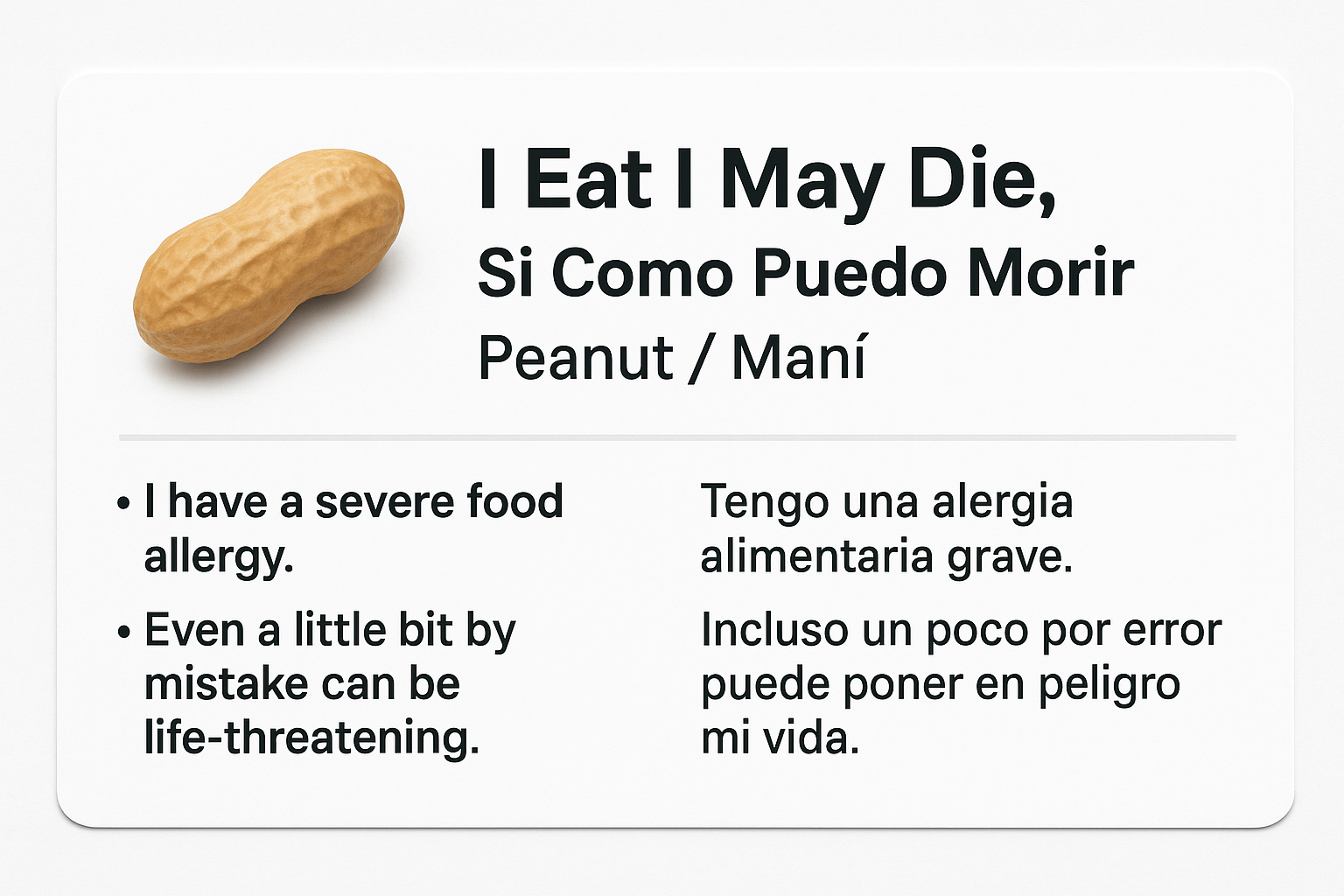
Free Allergy Alert Cards!
- Allergen Image
- Translated
- Allergen
- Warnings
Strongly recommended for reliable results, use ChatGPT Pro
(FoodAllergy.world receives no commission or financial compensation)
Artificial Intelligence MAKES MISTAKES !!!!
Potential translation gaps, untranslatable terms, and contextual ambiguities happen
Always Ask a Native Speaker to confirm the translation!
This program works best with a ChatGPT Pro membership, which enables full access to advanced features like image rendering (FoodAllergy.world receives no commission or financial compensation)
May work on a free account, results could be inconsistent or limited due to model access restrictions and feature availability.
- Fill in form to describe your card as instructions for AI as a “Prompt”
- Click Button (Scroll Down) and Open ChatGPT
- Sign in with Pro ChatGPT Membership
- Paste the Prompt using (Ctrl+V / ⌘+V)
- If AI asks for more inputs
- If AI says “Understood. Please upload a reference image of yourself if you want me to generate an accurate image. Once I have that, I will strictly follow your detailed rendering instructions exactly as provided”.
JUST SAY NO - Answer other questions, it is confused.
- If AI says “Understood. Please upload a reference image of yourself if you want me to generate an accurate image. Once I have that, I will strictly follow your detailed rendering instructions exactly as provided”.
- Click Enter (Up Arrow)
- When Image is displayed
- Check Card is correct!
- AI makes mistakes: Critical AI Debugging Guide
- Card Corrected: Right-click the image and Save
- Use Print Preparation Software
(Adobe Express/Fotor/GIMP)
or uploaded to VistaPrint.com
ALERT: Just clicking on file and print will not work
Step 1: Fill Form
The Prompt will be generated/copied
in 10 seconds…
in 10 seconds…
Prompt has been saved
Step 1: Click Green Button below to Open ChatGPT’s new Tab
Step 2: After ChatGPT opens, click inside the prompt box.
Step 3: Paste this Prompt using (Ctrl+V / ⌘+V).
Step 4: Press Enter (up arrow).
Step 1: Click Green Button below to Open ChatGPT’s new Tab
Step 2: After ChatGPT opens, click inside the prompt box.
Step 3: Paste this Prompt using (Ctrl+V / ⌘+V).
Step 4: Press Enter (up arrow).